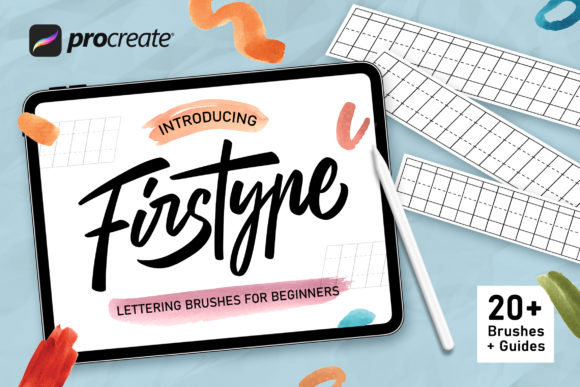
Firstype Procreate Lettering Brushes: Your Toolkit for Digital Hand Lettering
For anyone working on an iPad, the ability to create custom lettering directly within a design file is a game-changer. Firstype Procreate Lettering Brushes provide a comprehensive solution for designers, content creators, and hobbyists looking to move beyond standard fonts. This collection is designed specifically for the Procreate app, offering a range of tools that simulate real-world lettering techniques. Whether you are crafting a logo, designing social media graphics, or adding a personal touch to a project, these brushes offer the flexibility and quality needed for professional results.
Understanding the Brush Collection
Firstype Procreate Lettering Brushes is not a single typeface but a curated set of digital brushes. Each brush is engineered to respond to the pressure and tilt of your Apple Pencil, creating lines that mimic authentic ink, paint, or marker strokes. The personality of the collection is versatile, ranging from clean and modern to organic and textured. The visual appeal lies in its ability to produce lettering with natural variation, avoiding the sterile uniformity of vector-based fonts. This makes it an excellent choice for projects that require a human touch, warmth, and character.
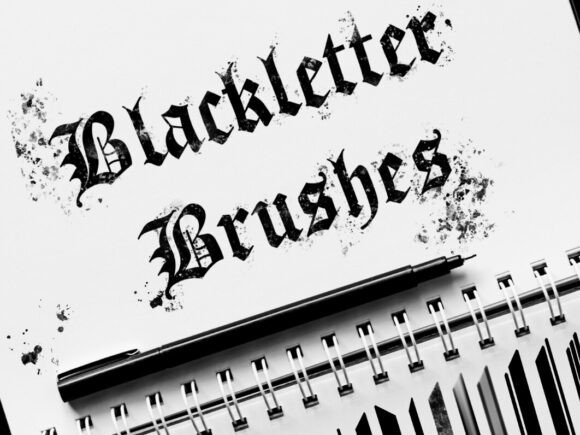
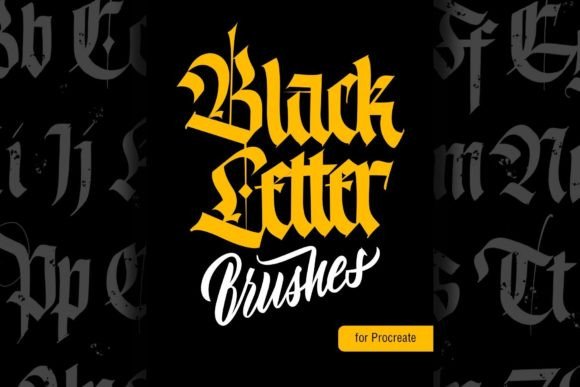
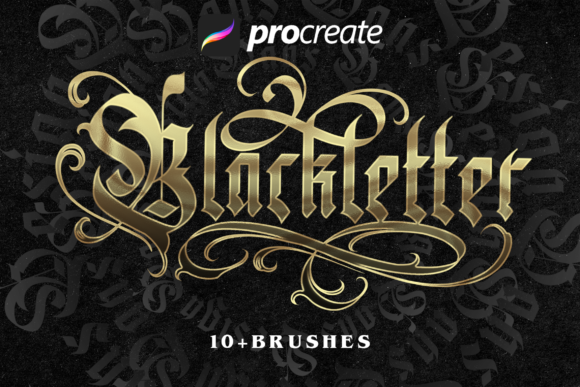
The collection includes over 20 distinct brush types, ensuring a tool for nearly any style. You will find dedicated Lettering Brushes for general use, Calligraphy Brushes for elegant swells and tapers, and Watercolor Brushes for a soft, blended look. For designers seeking more specialized effects, there are Lettering Texture Brushes, Blackletter Brushes for gothic styles, and even Cartoon Brushes for playful, animated text. The inclusion of Sketch Brushes and Lettering Guide Brushes makes this a practical toolkit from initial concept to final execution.
Where These Brushes Excel in Real-World Projects
The practical applications for Firstype Procreate Lettering Brushes span a wide range of creative and commercial work. In brand identity and logo design, custom lettering can create a unique mark that stands apart from competitors using off-the-shelf fonts. For packaging design, handwritten elements can convey artisanal quality and authenticity. In editorial design, custom headlines or pull quotes can break up visual monotony and draw the reader's eye.
Digital platforms are a natural home for this style of lettering. Social media graphics and web design benefit immensely from the engagement that hand-lettered elements generate. They feel personal and crafted, which can increase audience connection and recognition. For publishers and bloggers, using these brushes for title cards, chapter headings, or featured images adds a layer of professionalism and visual interest that stock imagery cannot match. The brushes are also ideal for personal projects like invitations, greeting cards, and custom art prints.
Practical Guidance for Using Firstype Brushes
Choosing the right brush from the collection starts with your project's goal. For a clean, modern brand identity, the basic lettering or sans-serif style brushes will provide clarity. For a project with a vintage or organic feel, the textured or watercolor brushes add depth. Always consider the visual hierarchy of your design; a bold, textured brush might work for a main headline but could overwhelm body text or smaller elements.
Testing is crucial. Before committing to a final design, experiment with different brushes from the Firstype set on a sample canvas. Pay attention to how the stroke weight changes with pressure and how the texture appears at various sizes. For font pairing in a broader layout, a handwritten brush style often pairs well with a simple, neutral sans serif font or a classic serif font for body copy. This contrast creates balance and ensures the lettering remains the focal point without sacrificing overall readability.
Remember that these are tools for the iOS app Procreate. They are optimized for versions 5X and earlier, ensuring wide compatibility for iPad users. The included 6 Lettering Guides are particularly helpful for maintaining consistent letter spacing, baseline, and slant, which are foundational to good typography and visual hierarchy. This focus on practical aids makes the collection accessible, even for those new to digital lettering.
Maximizing Your Creative Output
To get the most from the Firstype Procreate Lettering Brushes, integrate them into your standard design workflow. Use them to create custom assets that can be imported into other design software for final layout. For instance, letter a headline in Procreate, export it as a transparent PNG, and place it into an InDesign or Illustrator document. This hybrid approach combines the organic quality of hand-lettering with the precision of vector-based layout tools.
The collection's variety supports consistency across a brand or project. You might use the Calligraphy Brushes for all formal invitations and the Sketch Brushes for brainstorming and concept development. By establishing which brush styles correspond to which parts of your brand identity, you create a cohesive visual language. This strengthens brand perception and recognition, as audiences begin to associate a specific lettering style with your work.
Ultimately, Firstype Procreate Lettering Brushes serve as a bridge between digital convenience and artisanal craft. They empower creators to produce unique, high-quality lettering without needing advanced drawing skills. The immediate feedback of the iPad and Apple Pencil, combined with these responsive brushes, makes the process intuitive and enjoyable. Whether you are a small business owner creating your own marketing materials or a designer looking to expand your asset library, this collection provides the tools to elevate your typographic work with genuine character and professionalism.